Exciting News! Microsoft Adds Grok to Word, Excel, and PowerPoint
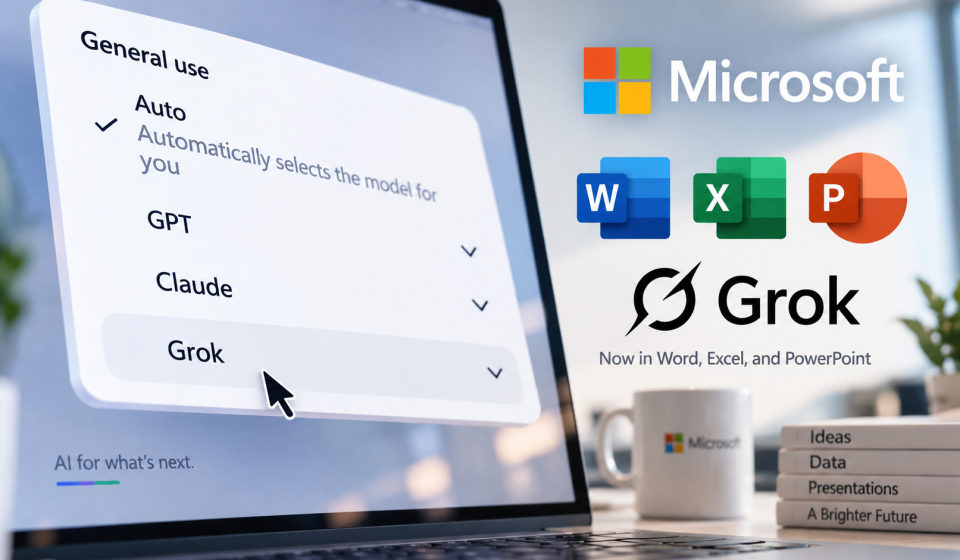
Microsoft has officially expanded its Copilot model selection by integrating SpaceXAI’s Grok models into Word, Excel, and PowerPoint. The move gives Microsoft 365 users a third major AI option alongside OpenAI’s GPT models and Anthropic’s Claude models.
Here’s everything you need to know about the Microsoft Grok integration.
What Just Happened?
Microsoft announced that Grok models from SpaceXAI are now rolling out in Copilot for Word, Excel, and PowerPoint. The integration follows Microsoft’s earlier addition of Grok to its Foundry service last year, and now the company is expanding access directly into its flagship productivity suite.
The rollout is part of Microsoft’s broader “multi-model strategy,” which the company says gives customers access to leading AI models while maintaining the trusted Copilot experience.
How to Access Grok in Microsoft 365
Accessing Grok within your Microsoft 365 apps is straightforward once your IT administrator has enabled it. Here’s the process:
- Admin enablement: IT administrators must explicitly enable Grok models through their organization’s Copilot settings before employees can access them.
- Open Copilot: Launch Word, Excel, or PowerPoint and open the Copilot sidebar interface.
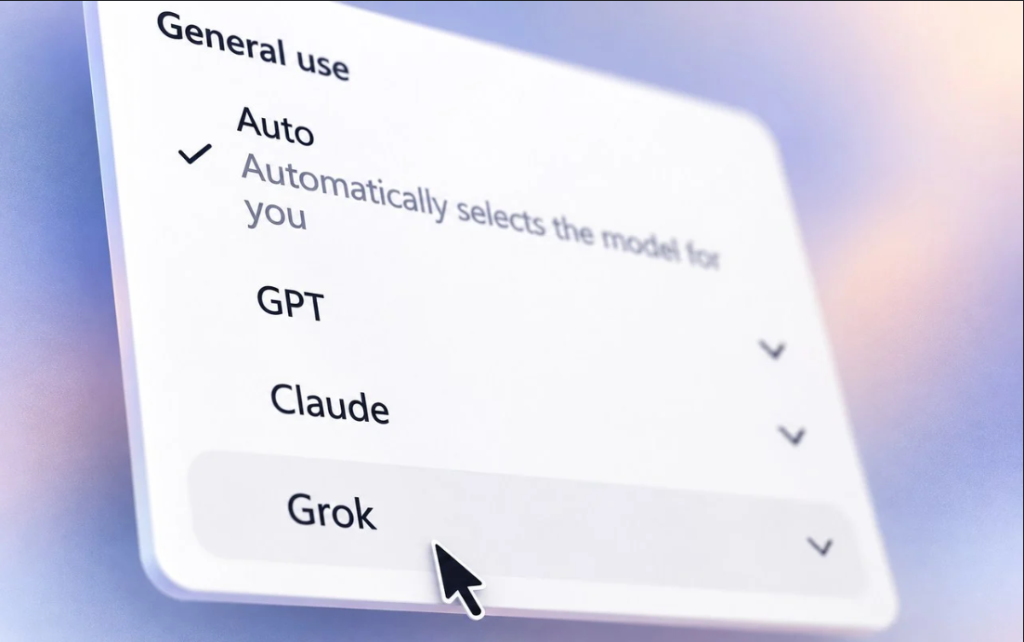
- Select Grok: Use the model picker dropdown to choose Grok as your AI provider. You can also set Copilot to automatically pick the best model for each task.
Once enabled, you’ll be able to switch between GPT, Claude, and Grok models directly from the dropdown menu in the Copilot interface.
What Can You Do with Grok in Office?
The Grok integration brings several practical capabilities across Microsoft’s core productivity apps:
- Word: Draft professional documents using Grok’s multi-step reasoning and language generation capabilities.
- Excel: Analyze selected data ranges, ask questions in natural language, and generate charts directly from your spreadsheet data. Grok can also handle formula syntax, averages, sorting, and other common operations.
- PowerPoint: Generate presentation frameworks, populate content, and match slide layouts based on your topic, page count, and style requirements.
Availability and Limitations
The Microsoft Grok integration is currently in a limited preview through the Microsoft Frontier Program. Microsoft says it will use this preview period to gather customer feedback and study how organizations use Grok in common office scenarios before deciding whether to expand availability.
There are two important limitations to note:
Regional restrictions: During the preview, Grok will not be available to Frontier customers in the European Union, European Free Trade Association countries, or the United Kingdom. Microsoft has not indicated when it might extend availability to these regions.
Professional tone only: If you’re expecting Grok’s witty, irreverent style from X (formerly Twitter), you’ll be disappointed. Subprocessors like Grok operate under Microsoft’s system prompts and enterprise guardrails, meaning all generated responses will remain strictly professional.
Data and Privacy Considerations
Microsoft has added SpaceXAI to its Online Services Subprocessor List, because SpaceXAI may process some customer data when users select Grok models. Administrators retain visibility and control over data processed by SpaceXAI in supported Microsoft 365 Copilot experiences, but organizations may need to review Grok separately from AI models already enabled in their Copilot environments.
Before adding any third-party AI model to Copilot, Microsoft says it subjects them to testing, safety validation, and Responsible AI reviews.
Read also:
- OpenAI IPO 2026 Officially Off the Table as Altman Focuses on AI Safety
- Meta Just Launched Muse: The Personal AI Agent That Works 24/7 to Run Your Digital Life
- Researcher Quits Anthropic, Warns AI Could End Humanity by 2030
Why This Matters
The Microsoft Grok integration represents a significant shift in how enterprises access AI. Rather than forcing users to choose a single AI provider, Microsoft is positioning Copilot as a central hub where organizations can access multiple leading models without switching platforms.
For businesses already invested in the Microsoft ecosystem, this means greater flexibility in matching the right AI model to the right task – whether that’s Grok’s mathematical reasoning for complex spreadsheet analysis, Claude’s capabilities for research tasks, or GPT’s broad general knowledge for document drafting.
The Bottom Line
Microsoft’s addition of Grok to Word, Excel, and PowerPoint marks another step in the company’s push toward a multi-model Copilot experience. While the integration is currently limited to Frontier Program users and excludes several key regions, the direction is clear: Microsoft wants Copilot to be the single interface through which enterprises access the best AI models available.
If you’re a Microsoft Frontier customer, check with your IT administrator about enabling Grok models in your organization’s Copilot settings. For everyone else, broader availability is likely on the horizon – though Microsoft hasn’t yet committed to a timeline.
Receive News Updates and Tutorials Through our Social Media Channels, join:
- WhatsApp: BloginfoHeap WhatsApp
- Facebook: BloginfoHeap
- Twitter (X): @BloginfoHeap
- YouTube: @BloginfoHeap